It was recently brought to my attention that the web service used by my sample form for my tutorial on connecting a form to a web service is no longer operational. Obviously, that makes the sample form much less useful so I have posted a second sample form that uses a different web service. If you have been struggling with the original sample, please have a look at the new one I posted in an update to the original post.
Posted by Stefan Cameron on September 2nd, 2010
Filed under
Data Binding,
Designer,
Tutorials,
XFA
Paul Guerette, a colleague of mine at Adobe, will be giving a “tech talk” eSeminar on connecting forms to databases over at AcrobatUsers.com on Tuesday, March 23, 2010, at 10am PST (1pm EST).
If you have been struggling with connecting a form to a database, are wanting to know what the best practices and/or security concerns are, or have some specific questions you would like to ask, I highly recommend you attend the session. It’s free to attend (and free to become a member in order to attend)!
I’ll be answering chat questions “live” as the session unfolds. I hope you can join us!
Posted by Stefan Cameron on March 10th, 2010
Filed under
Acrobat,
Data Binding,
Designer,
Scripting,
Tutorials,
XFA
While recently helping a few people with some issues related to HTTP submissions from XFA forms, I ended-up creating new Data Service that helps with testing HTTP Submit Buttons.
The service is quite simple: It displays what you submit to it. Since Designer’s “PDF Preview” tab is actually an instance of Internet Explorer hosting a PDF version of the form you’re previewing (a temporary PDF if your form is saved as an XDP or is new), the results are conveniently displayed within the tab itself after clicking on the submit button.
To use the service, simply use either an http submit button (or a regular button with its “Object palette > Field tab > Control Type property” set to “Submit”) and set its URL to:
http://forms.stefcameron.com/services/http-submit-test/
The idea is to use this service as a means to test/debug your forms before spending time writing the actual server code that will receive the data. You can also use it to ensure that you are submitting the correct data to a third-party service (for which you don’t control the server-side code).
Continue reading…
Posted by Stefan Cameron on December 16th, 2009
Filed under
Data Binding,
Debugging,
Tables,
Tutorials,
XFA
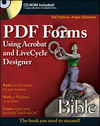
Last February, I announced the release of a new Designer book titled, “PDF Forms Using Acrobat and LiveCycle Designer Bible”.
Over the past few months, I had the opportunity to review it and I thought I would share my comments, with respect to the second-half of the book, which deals with LiveCycle Designer ES and XFA forms, to help you decide if it would be a good book for you*. (The first-half deals with authoring PDF forms, a.k.a. AcroForms, in Acrobat and is beyond the scope of my blog.)
Pros:
- explains the licensing agreement involved when enabling forms for Reader using Acrobat’s “Extend Features in Adobe Reader” feature (p. 268) — this is a frequently-used feature however its governing licensing agreement, seldom understood, is explained here in “plain English”;
- presents and reasons through different design approaches for a particular solution, helping the reader make an informed decision on the best course of action;
- anything and everything you could possibly want to know is dealt with in some way;
- lots of important, time-saving insights in the inline ‘notes’;
- something for everyone from beginner to advanced;
- many cross-references between various topics, making it very easy to start in any chapter and still find all the information you need.
Caution:
- risk of “information overload” — use this book as reference since it’s not a light read, though their goal is simply to present a myriad of options and let you pick the one that best suits your needs.
Overview of Topics Covered:
- all about tables (from simple layouts to advanced);
- data merging with bindings;
- Designer user interface details and lots of tips and tricks for accelerating form layout tasks;
- working with static forms (with PDF backgrounds) and dynamic forms, highlighting the differences;
- great details on all sorts of pagination options;
- lots of detail on JavaScript and FormCalc, good scripting exercises with explanations, debugging tips, table with JavaScript and equivalent FormCalc functions to make it easy to script in either language if the other is more familiar to you;
- form deployment options;
- when and how to use data connections in your forms (XML, schema, database, web service) and setting data bindings;
- great overview of LiveCycle ES, its components (e.g. LC Forms, LC Reader Extensions, LC Rights Management, LC Content Services, etc.) and what they do.
This book is available now on Amazon.com and Wiley.com and elsewhere.
* Please note that these opinions are not necessarily those of Adobe Systems Incorporated.
Posted by Stefan Cameron on November 13th, 2009
Filed under
Acrobat,
Books,
Data Binding,
Designer,
Instance Manager,
Scripting,
Tables,
XFA
After spending some time, recently, showing you how to connect your form to a schema and highlighting Designer’s support for schema metadata, I thought I would round-off my current train of thought on schemas by tackling multi-selection listboxes. Since they store their selected data in <value> nodes, once you think about it, their schema definition may not be obvious. When you’re working with XML data that isn’t governed by a schema and namespaces, it is perhaps easier to work with (i.e. accept) these <value> nodes however things change when you have a schema telling you how your data must be structured and scoped (with namespaces).
Continue reading…
Posted by Stefan Cameron on September 30th, 2009
Filed under
Acrobat,
Bugs,
Data Binding,
Scripting,
Tutorials,
XFA